Fixing Issues
ClearSight gives you an AI-generated fix suggestion for every issue. Here’s how to act on the most common ones.
Using fix suggestions
Every issue in your results includes:
- Description — plain-English explanation of the problem
- Fix suggestion — specific, actionable steps to resolve it
- Element HTML — the exact markup that needs to change
Copy the element selector from the Visual Inspector to find it in your codebase.
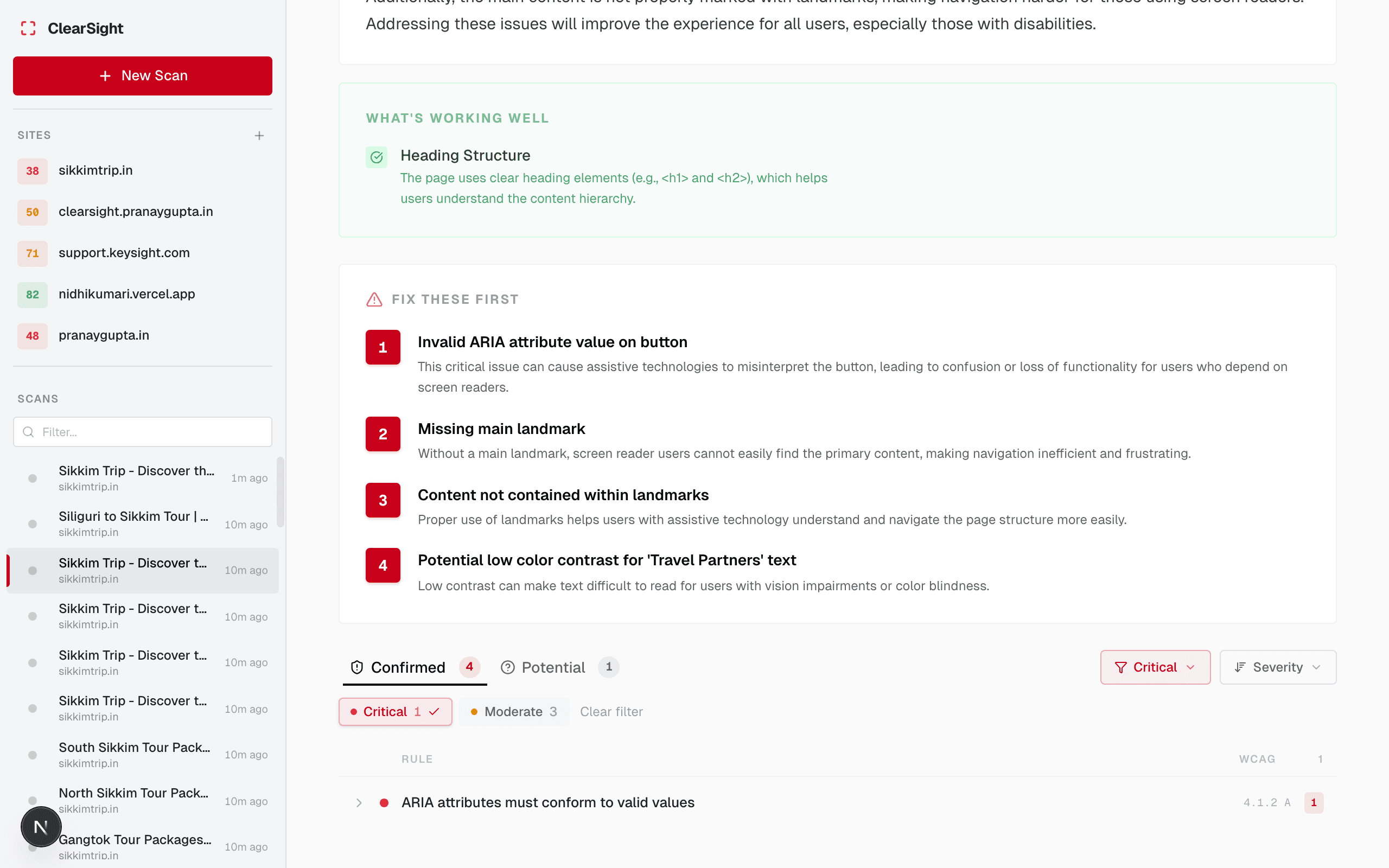
Common issue types and fixes
Missing alt text (Critical)
Images must have alt text that describes their content.
<!-- Wrong -->
<img src="hero.jpg">

<!-- Right — descriptive alt -->
<img src="hero.jpg" alt="A developer working at a laptop">

<!-- Right — decorative image, empty alt -->
<img src="divider.png" alt="">
Missing form labels (Critical)
Every form input needs a visible label or an aria-label.
<!-- Wrong -->
<input type="email" placeholder="Email">

<!-- Right -->
<label for="email">Email address</label>
<input type="email" id="email">

<!-- Also right — aria-label for icon-only inputs -->
<input type="search" aria-label="Search the site">
Low color contrast (Serious)
Text must have a contrast ratio of at least 4.5:1 against its background (3:1 for large text).
Use a tool like WebAIM Contrast Checker to find compliant color combinations.
Links with no descriptive text (Serious)
Link text must describe the destination, not just say “click here” or “read more”.
<!-- Wrong -->
<a href="/report">Click here</a>

<!-- Right -->
<a href="/report">Download the accessibility report</a>
Touch targets too small (Moderate)
Interactive elements must be at least 24×24px, ideally 44×44px, to be usable on touch screens.
/* Minimum */
button { min-width: 24px; min-height: 24px; }

/* Recommended */
button { min-width: 44px; min-height: 44px; }
Not every fix requires code changes. Some issues (like heading hierarchy) are fixed in your CMS content. Others (like color contrast) are fixed in design tokens or CSS variables.